
Build Your First AI Agent in 14 Days with Make
Quick take
Build a simple AI agent in 14 days with Make or n8n. Set one trigger, automate one annoying task, and let it run on its own.
Explore this topic
Article body
Build Your First AI Agent in 14 Days That Does One Annoying Task for You — Automatically
Every Sunday evening I did the same thing: opened four tabs, checked three different sources for the week's study schedule updates from my coaching centre, copied the relevant parts into a WhatsApp message, and sent it to the group. It took about fifteen minutes and produced a feeling of mild resentment that lasted into Monday. I did this for four months before it occurred to me that this was exactly the kind of thing I could automate — not with code I'd have to learn, but with an AI agent I could build in an afternoon.
The agent I built now does it automatically every Sunday at 6 PM. I haven't touched it in six weeks. This is the 14-day plan that gets you from "what even is an agent" to a working automation that runs without you.
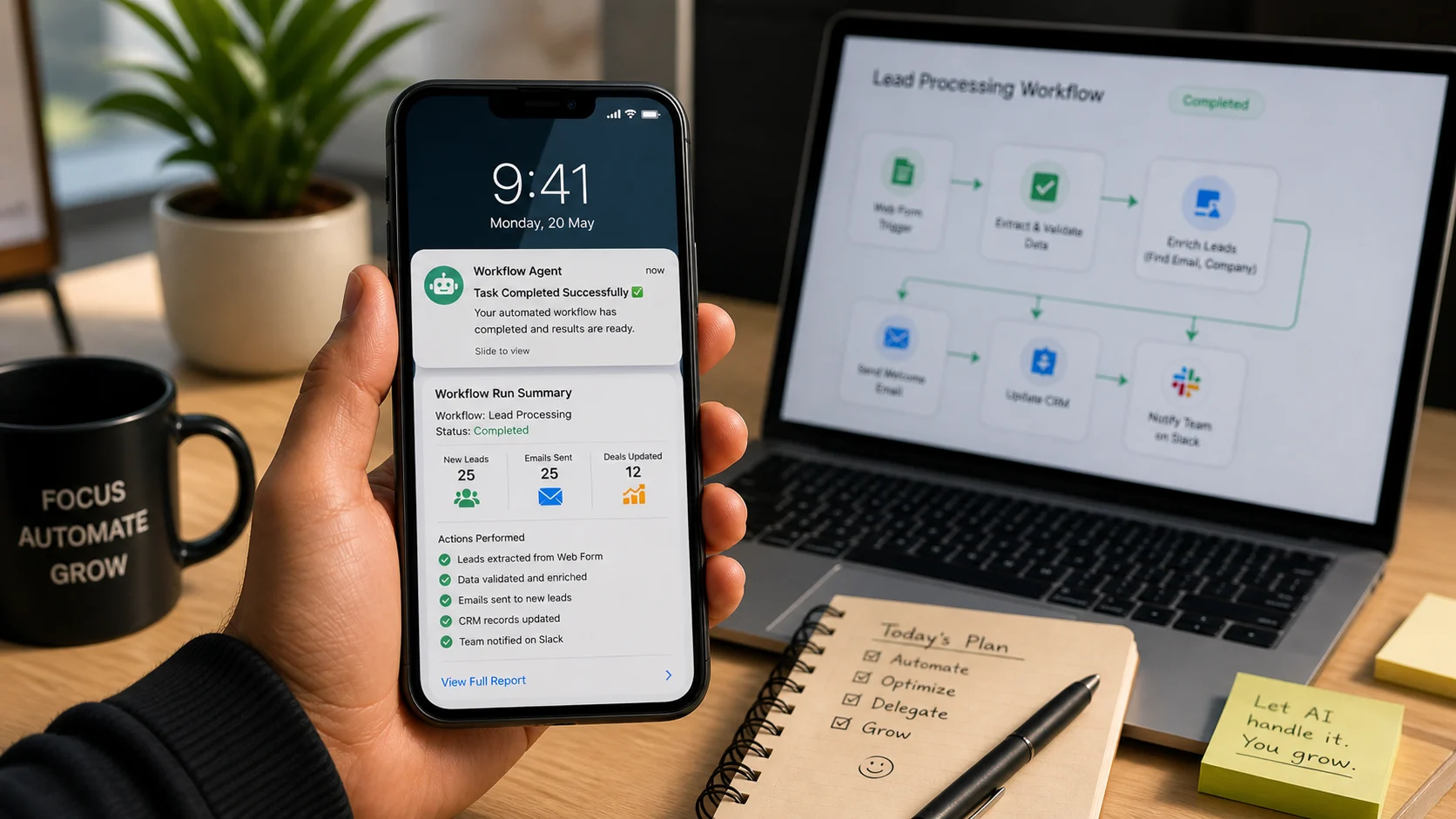
An agent doesn't wait for you to ask it something. It runs on a schedule and does the thing — whether or not you remember it needs doing.
What's the Difference Between AI and an Agent?
When you open ChatGPT and ask it something, you're in a conversation. You ask, it answers, it waits. That's AI as a tool you use. An agent is different — it's AI that acts without waiting to be asked. You set it up once, give it a trigger (a time, a new email, a new file, a new message), and it runs automatically whenever that trigger fires. It can read inputs, process them, make decisions, and produce outputs — into a Google Sheet, a WhatsApp message, a Notion page, an email — all without you being present.
The easiest way to build an agent as a beginner is Make (make.com, formerly Integromat) or n8n. Both are free to start. Both use a visual workflow builder — you drag and drop "blocks" that represent steps, connect them with arrows, and the agent follows the path whenever it's triggered. No code required for most beginner agents. For more powerful agents, ChatGPT's custom GPTs with actions enabled go further — but start with Make or n8n for your first two weeks.
Days 1–3: Pick Your One Annoying Task
The most common mistake first-time agent builders make is picking a task that's too ambitious. An agent that "manages my entire study schedule and sends me personalized reminders based on my performance" is a month-long project. An agent that "every morning sends me a WhatsApp message with today's three most important tasks from my Notion to-do list" is a three-hour build.
Spend Days 1 through 3 identifying the right task. The criteria: it happens on a regular schedule or trigger, it involves information that already exists somewhere digitally, and it produces an output that goes somewhere you already check. Good first-agent ideas for Indian teens: a daily summary of unread emails sent to your WhatsApp, a weekly reminder of upcoming test dates pulled from a Google Sheet your class maintains, a notification every time someone adds a new resource to your shared study Google Drive folder, a morning alarm message that includes today's weather and your first class time.
Write the task in one sentence: "When [trigger happens], get [this information] from [this source], and send [this output] to [this place]." If you can't fill in that sentence, the task isn't specific enough yet.
Days 4–10: Build It in Make
Create a free account at make.com. The interface shows a blank canvas with a plus button in the centre — this is your first module. Click it and search for your trigger source. If you're building the "daily task summary from Notion" agent, your first module is Notion. If you're building the "new Google Drive file notification" agent, your trigger is Google Drive → Watch Files.
Days 4 and 5 are just the trigger — getting Make to correctly detect when your event happens. Test it by making the event happen manually and seeing if Make picks it up. This sounds slow but it matters — an agent with a broken trigger is an agent that never runs.
Days 6 through 8 are the middle — the processing step. This is usually a ChatGPT module that takes your raw input and turns it into something readable. Feed it the raw data from your trigger, give it a system prompt (something like: "You are a concise assistant. Take this list of tasks and write a three-sentence morning briefing in a friendly tone."), and check the output. Adjust the prompt until it sounds right.
Days 9 and 10: connect the output destination — WhatsApp via Twilio (free trial gives you enough for testing), Gmail, or a Telegram bot if your group uses Telegram. Set the schedule — Make lets you run a scenario on a time trigger (every day at 7 AM, every Sunday at 6 PM). Run it once manually to confirm the full chain works. Then activate the schedule and step back.
Days 11–14: Watch It Run, Then Improve It

The first time your agent runs without you doing anything — sends the message, updates the sheet, fires the reminder — is the moment the effort pays off.
The first automated run of your agent is the moment that changes how you think about technology. Not using it — building something that runs while you sleep. Let it run for four or five cycles while you observe: is the output accurate? Is the tone right? Is it sending at the right time? Make a list of small improvements and implement them one at a time.
By Day 14, add one small upgrade — a conditional step. "If the task list is empty, send a different message." "If it's raining, include a reminder to bring an umbrella." Make's conditional logic uses simple filters that you set without code. This turns your basic agent into something smarter, and it's the moment you start seeing how much further this can go.
Free tools for your first agent — all ₹0 to start:
Make (make.com) — Free tier: 1,000 operations/month, enough for daily personal agents. Visual builder, beginner-friendly, excellent documentation. Best starting point.
n8n (n8n.io) — Free self-hosted version. More powerful than Make, more technical. Run it on your laptop or on a free Railway.app instance. Better for your second agent.
Telegram Bot API — Free, no credit card, instant setup. If your friends use Telegram, this is the easiest output destination for notifications. Easier than WhatsApp for beginners.
ChatGPT API — Free tier is limited but enough for testing. Make has a built-in ChatGPT module that handles the API connection for you — you don't need to set it up manually.
Quick Tips
- One task, done perfectly, beats five tasks half-working — your first agent should do exactly one thing reliably. Expand after it's been running for two weeks without errors.
- Test every module separately before connecting them — Make lets you run individual modules in isolation. Use this. A broken trigger is invisible until you've already wired up twenty steps after it.
- Log your agent's outputs somewhere — add a final step that writes to a Google Sheet row every time the agent runs. This gives you a history log and makes debugging much easier when something breaks in Week 3.
- Error handling is not optional — add a Make error handler that sends you a message if the agent fails. An agent that breaks silently is worse than no agent.
- The best first agents solve your own problem — not a hypothetical problem, not your friend's problem. Your weekly Sunday task that you quietly resent. Start there.
Open make.com and write your trigger sentence before you close this tab.
"When [this happens], get [this], and send [this] to [here]." If you can complete that sentence, you can build the agent. Days 1 through 3 are just figuring out which sentence to write. Everything after that is execution — and Make walks you through every step of it.
The first time your agent does the thing without you doing anything is a very specific feeling. Build it to find out what that feels like.Comments 0
Keep reading
