
Video Editing Is the Teen Skill Everyone Suddenly Needs — Here’s the 30-Day Free Plan
Quick take
A practical 30-day guide for Indian teens to learn video editing, build a portfolio, find clients, and make their first ₹10,000 with free tools.
Explore this topic
Article body
Video Editing Is the Teen Skill Everyone Suddenly Needs — Here’s the 30-Day Free Plan
I’m genuinely excited for you if you’re starting video editing right now. Not because it is “easy money” — nahi yaar, that’s usually Instagram nonsense — but because it is one of the few skills where a teenager with a phone can actually build proof in 30 days.
India’s creator economy has a very funny problem. Everyone wants to become a creator. But creators, cafés, gyms, clothing stores, wedding photographers, coaching centres, and local businesses all need one thing before posting: someone who can turn messy footage into a reel people don’t skip in 2 seconds.
Why Video Editing Is So Valuable Right Now
A good reel is not just cutting clips together. It is timing, captions, sound, speed, hook, emotion, and that tiny zoom-in at exactly the right moment. Most people can shoot video. Very few people can make it feel watchable.
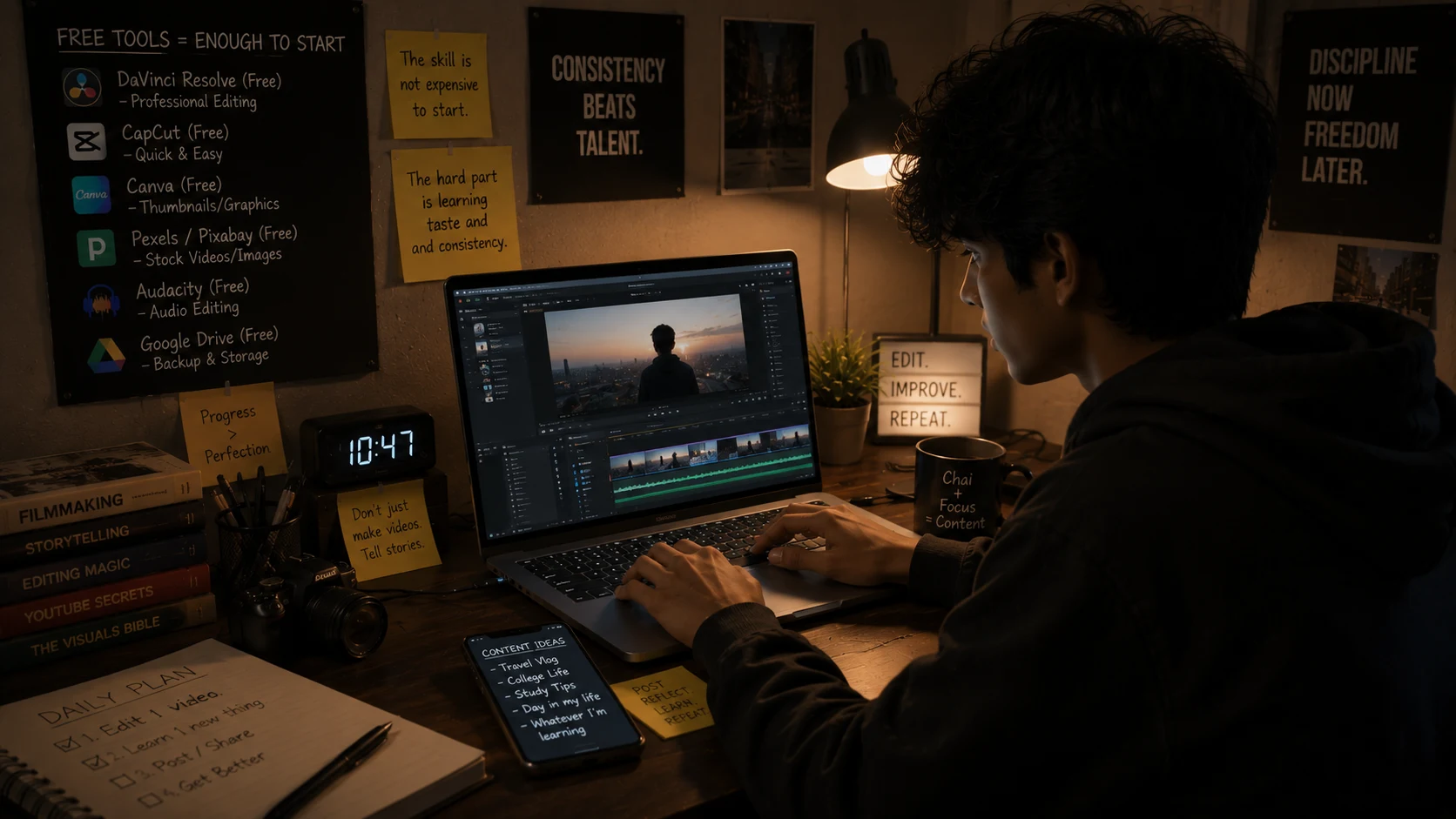
The skill is not expensive to start. The hard part is learning taste and consistency.
That is why video editing has become such a strong teen skill. You don’t need a degree. You don’t need paid software. You need 30 focused days, a small portfolio, and the confidence to message people without sounding like a spam bot.
Realistic earning range: Beginners usually start around Rs. 500–Rs. 1,500 per simple reel.
After proof: Branded or business reels can move toward Rs. 3,000–Rs. 8,000 per reel depending on quality, client, and deadline.
Honest warning: Your first 10 edits will probably look over-edited. That is normal. Everyone abuses transitions in the beginning.
The Free Tool Stack: Start on Phone, Upgrade Later
If you only have a phone, start with CapCut. It is the easiest way to learn short-form editing: cuts, captions, music timing, effects, templates, and export settings. You can edit Instagram reels, YouTube Shorts, school event videos, birthday clips, and product videos from one app.
If you have a laptop or PC, add DaVinci Resolve. It is free, professional, and a little scary at first. The interface looks like it was designed for people who drink black coffee and say “workflow” seriously. But once you learn the basics, it gives you more control than mobile apps.
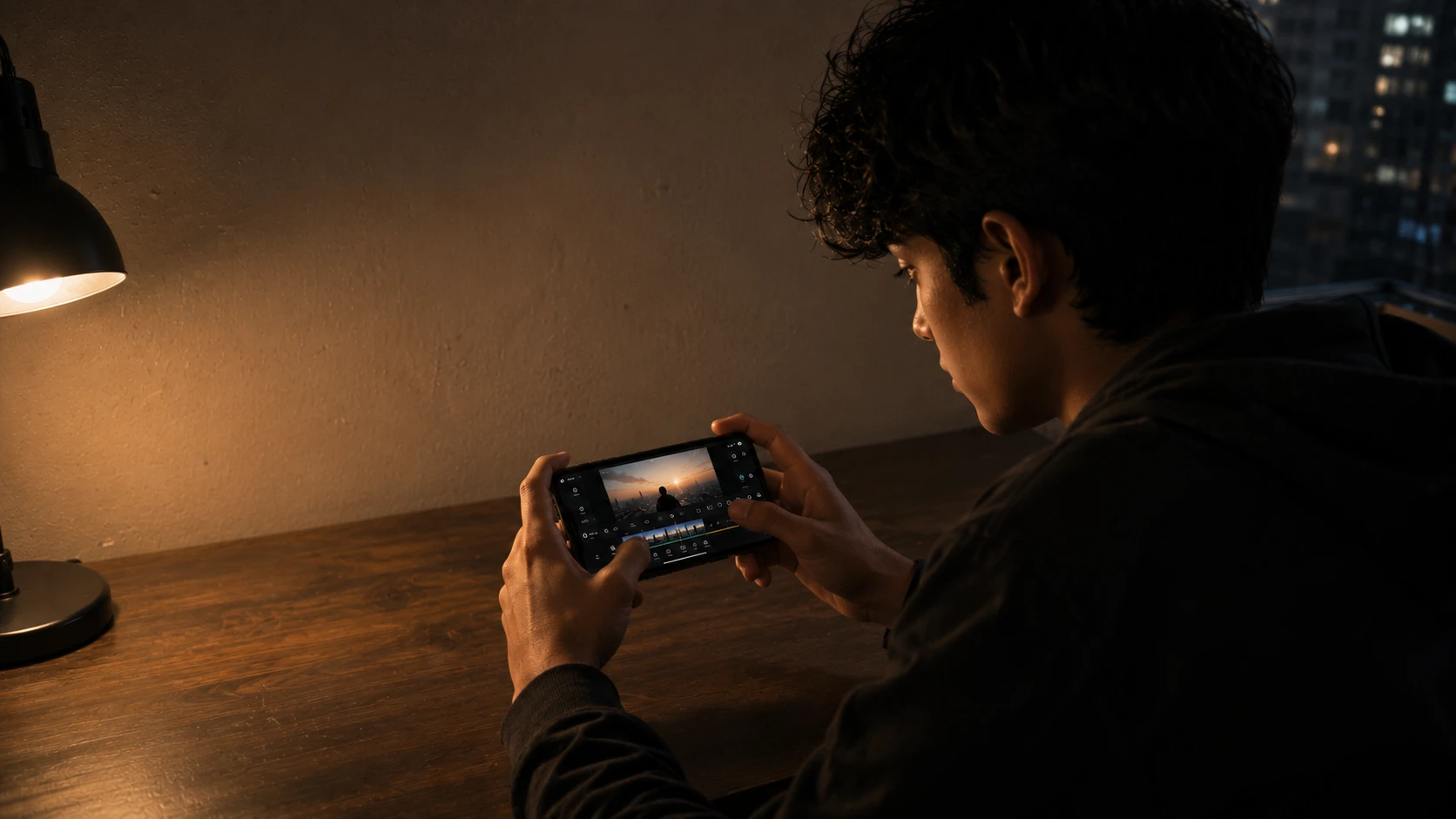
A phone is enough for the first 30 days. Don’t wait for a perfect setup.
Phone route: CapCut + Canva + Google Drive.
PC route: DaVinci Resolve + Canva + YouTube tutorials.
Portfolio route: Instagram page + Google Drive folder + 3 pinned sample reels.
The 30-Day Learning Plan That Actually Works
Don’t try to “learn video editing” like a whole subject. That is how people watch 45 tutorials and produce zero videos. Learn one output: short-form reels.
Days 1–7: Copy 7 reels you like. Not steal — recreate the structure. Notice the hook, clip length, captions, music drop, zooms, and ending. Your goal is not originality yet. Your goal is to understand why your thumb stops scrolling.
Days 8–15: Edit 10 practice reels using free footage. Use your own clips, friend’s gym clips, food videos, phone shots of your city, or school event footage. Keep every reel under 30 seconds.
Days 16–23: Pick one niche. Fitness reels, wedding highlights, food reels, fashion reels, coaching class reels, gaming shorts, or creator talking-head clips. One niche makes your portfolio look serious.
Days 24–30: Build 5 polished samples and post them on a clean Instagram page. Your bio should say exactly what you do: “I edit short-form reels for Indian creators and small brands.” Bas. No motivational quote needed.
What to Charge Without Feeling Awkward
The hardest part is not editing. It is saying a price without immediately apologising. Most teens undercharge because they think, “Who will pay me?” But businesses already pay for posters, photography, ads, and social media help. Editing is part of that same world.
Start with a simple 3-tier pricing system. It makes you sound clear instead of confused.
| Starter Reel Editing | Rs. 500–Rs. 1,500 |
| Creator Talking-Head Reel | Rs. 1,500–Rs. 3,000 |
| Business / Branded Reel | Rs. 3,000–Rs. 8,000 |
| Monthly 8-Reel Package | Rs. 8,000–Rs. 20,000 |
| Smart First Goal | Rs. 10,000/month |
*Rates depend on client budget, editing complexity, revisions, and how strong your portfolio looks.
For your first month, don’t chase ₹8,000 per reel immediately. Chase proof. Two small clients paying ₹1,000 each teaches more than pretending to be a premium agency with no samples.
Where Indian Teens Can Actually Find Clients
Start close. This is where most people miss the easiest opportunities. Your city already has gyms, salons, cafés, tuition centres, wedding photographers, clothing boutiques, dance teachers, and local influencers posting average reels every week.
Message them politely. Not “Hi dear, I am expert editor.” Please don’t do that. Write like a real person.
Simple DM script: “Hi, I saw your recent reels. I’m learning short-form editing and made one sample in your style. Can I send it? No pressure.”
Why this works: You are not begging for work. You are offering proof first.
Best target: Accounts posting regularly but with weak captions, slow pacing, or no hooks.
Use Instagram DMs for local businesses and creators. Use Fiverr for international-style gigs, but expect competition. Use Internshala for internships if you want safer, structured work. Use LinkedIn only if your profile looks clean and your samples are ready.
The Mistakes That Make Beginners Look Cheap
The first mistake is using too many effects. A reel does not need 17 transitions, fire text, shake effects, and random whoosh sounds. Clean editing wins more often than chaotic editing.
The second mistake is not understanding the client’s goal. A gym reel needs energy. A wedding reel needs emotion. A coaching centre reel needs clarity. A food reel needs hunger. Same app, different feeling.
The third mistake is unlimited revisions. Always say what is included: “One reel includes 2 revision rounds.” Otherwise one client will make you change the caption colour 14 times and call it “small change only.” I have done this wrong. It is character development, but avoidable.
Your First ₹10,000 Plan
Here is the clean path: learn for 30 days, build 5 samples, send 50 smart DMs, close 2–4 small clients, then increase pricing slowly.
Even if your first client pays only Rs. 1,000, that is not failure. That is proof. The second client is easier because now you can say, “I recently edited reels for a local fitness page.” Suddenly you are not just a student with an app. You are someone with work.
And yes, balance it with school. Don’t take 10 clients during boards and then vanish like a side character in a thriller. Take fewer projects. Deliver on time. That reputation matters more than one big month.
Quick Tips
- Start with CapCut — phone editing is enough for your first samples.
- Pick one niche — fitness, food, wedding, coaching, fashion, or creators.
- Make 5 samples — clients trust proof faster than promises.
- DM with a sample — don’t send generic “I am editor” messages.
- Limit revisions — 2 rounds is enough for beginner projects.
- Raise prices slowly — proof first, premium later.
Save this before you start editing random tutorials at 2 AM
Pick one niche today, edit one practice reel tonight, and build your first 5 samples before asking anyone for money.
Your first paid reel starts with your first finished sample.Comments 0
Keep reading
Similar blogs by topic

How I’d Make My First ₹10,000 Online With Free AI Tools If I Were 16 Again
A realistic first-income guide for Indian teens, showing how to earn your first ₹10,000 online with AI-assisted caption writing, free tools, and simple client outreach.

Open Source: The Free Thing That Runs the Entire Internet
Your phone, the servers that sent you this page, and every supercomputer on earth run on software volunteers wrote and gave away. Here's how that happened, why it's fragile, and why it's the one industry that will let a sixteen-year-old touch real infrastructure.

I Asked ChatGPT to Do My Internship Search. Here's What It Got Wrong.
It gave me five perfect-sounding internships in ten seconds. Three didn't exist. Here's what AI is actually good for in a job search, and the one part it cannot do for you.