
Make Your Own 30-Second Anime Trailer Using AI — And Post It Like a Studio Did
Quick take
Create a cinematic 30-second anime trailer in one afternoon using free AI tools like Veo/Kling, Suno, and CapCut. Learn the exact shot structure, music timing, and editing workflow that makes AI trailers look studio-quality.
Explore this topic
Article body
Make Your Own 30-Second Anime Trailer Using AI — And Post It Like a Studio Did
I spent one Sunday afternoon making an anime trailer using AI tools. No camera. No filming. No editing experience worth mentioning. By 8 PM, I had 30 seconds of something that — when I posted it in a Demon Slayer Discord — three people asked which fan studio had made it.
That felt good enough to write about.
Here's the thing about AI-generated anime trailers: they don't look like AI made them. They look like someone spent time. Like someone understood visual composition and pacing and music. The AI handles the generation — but the decisions are still yours. Which shots. Which moments. Which music. The AI is just the paintbrush.
This is the full thing I did, in the order I did it. Including what went wrong.
What I Did Before Touching Any Tool
I watched the Demon Slayer S2 trailer six times before I opened a single tool.
Before I touched Veo or Suno, I sat down and watched the official Demon Slayer Season 2 trailer on loop. Not for entertainment — I was trying to figure out what was actually happening in it. Not the story. The structure. The cuts. When the music dropped. When the screen went quiet.
Here's what I noticed: every anime trailer is basically the same 30-second formula, just dressed differently. It opens on one single cinematic shot — a landscape, a character standing still, something that sets the mood without giving anything away. Then it cuts fast. Three or four short shots, each one barely two seconds, timed so each cut lands on a beat. By the time you blink, you're already ten seconds in and your heart is going faster than it was.
Then it slows down. There's always one moment in the middle where something emotional happens — a character's face, a line of dialogue, a reaction shot that tells you the stakes just got real. This is the part that makes you feel something instead of just react to something.
Then it builds to a crescendo. Title graphic appears exactly on the beat drop. Black screen. Done.
Once I understood this, I realised I wasn't making something from scratch. I was filling a template with AI-generated material. The structure already existed — I just had to give it my own visuals, my own music, and my own anime. That made the whole thing way less intimidating.
The Tools You'll Use (All Free or Cheap)
Veo 3.1 / Kling AI
FREEGenerate cinematic 5-10 second video clips from text. Quality is actually studio-level. Takes 2-3 minutes per clip.
MidJourney / Leonardo.Ai
$10 or FREECharacter art and poster graphics. MidJourney is better (costs $10/month). Leonardo is free and honestly good enough.
Suno
FREEGenerate original dramatic music from text. Takes 2 minutes per song. Sounds genuinely professional.
CapCut
FREEEdit and assemble everything. Stitch clips, add transitions, color grade. Works on phone or desktop.
Total cost: Zero if you use free tiers. About $10 if you splurge on MidJourney for one month.
The Workflow — Start to Finish (4-6 Hours)
The Concept
30 minPick an anime. Write down the core conflict, emotional peak, visual mood, and protagonist focus in 2-3 sentences. This is your creative brief for all the AI tools.
Example: "A young swordsman confronts a powerful demon. Dark desperate tone, misty mountains, sword strikes, determined expression. Music builds from tension to explosion."
Generate Video Shots
90 minOpen Veo or Kling. Create 6-8 video clips (5-10 sec each) using detailed prompts. Each generation takes 2-3 minutes. While they render, move to Phase 3.
Create Music
60 minOpen Suno. Generate 1-2 music pieces: one quiet and tense (opening), one epic and crescendo (action/climax). Let it cook while you continue.
Prompt example: "Dramatic orchestral anime trailer music, starts quiet with strings, builds to epic crescendo with brass and percussion, 30 seconds, cinematic Japanese film score style"
Generate Title Graphic
30 minOpen MidJourney or Leonardo. Create a title graphic with glowing lettering, dramatic composition, studio quality. Generate 3-4 variations and pick the best one.
Assembly in CapCut
90 minImport all clips. Arrange by structure. Trim to exact lengths using music as guide. Add crossfades. Overlay title graphic. Color grade. Add text. Pro tip: Cut to the beat of the music — that's what separates good from great.
What This Actually Produces
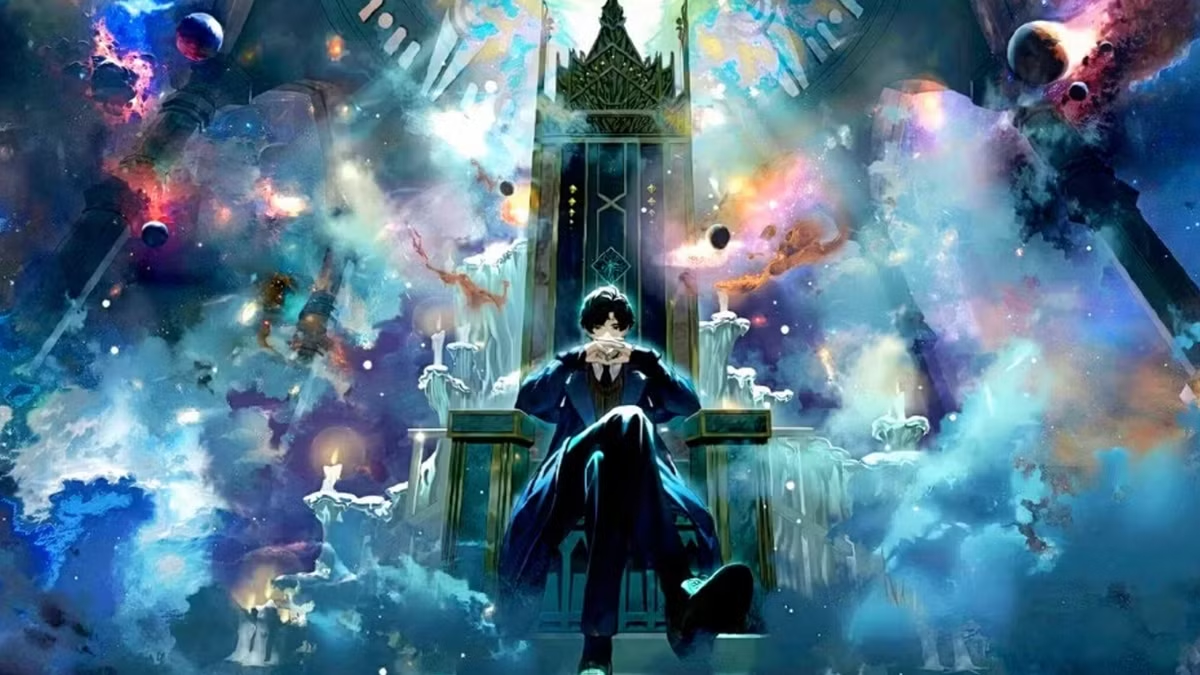
Where to post it: YouTube Shorts, TikTok, Instagram Reels, anime Reddit, Twitter.
A 30-second video that opens with cinematic establishing shot → has 4-5 quick cuts timed to music → stops for an emotional moment → crescendos on a title graphic → ends black or with studio logo.
It doesn't look like AI. It looks intentional. Professional. Like someone understood pacing and visual composition.
Looks genuinely good
- Establishing shots
- Wide cinematic angles
- Stillness (character face, landscape)
- Framing > action
Looks less good
- Specific character faces
- Complex fighting choreography
- Multiple characters together
- Fine details / small text
The workaround: Frame shots so strength is on wide angles and mood, not precise character details. A swordsman from behind walking toward a demon silhouette beats a close-up of the face (which might look slightly off).
Three Anime That Work Best
Dark Anime: Jujutsu Kaisen, Demon Slayer, Attack on Titan
Dark lighting hides AI imperfections. Action-heavy = lots of quick cuts. Built-in drama = easier emotional beats. Perfect first choice.
Psychological: Death Note, Code Geass, Monster
Less action = less complexity for AI. More character reactions = easier to work with. Atmospheric = AI specialty. Fewer characters on screen at once.
Shoujo / Romance: A Silent Voice, Your Name, Fruits Basket
Beautiful landscapes = AI strength. Emotional moments > action sequences. Soft color palettes hide imperfections. Less technical precision needed.
High-Detail / Sports: Mob Psycho, JoJo's, Sports Anime
Highly detailed art styles = AI struggles. Specific choreography matters. Character consistency critical. Requires more iterations to get right. Save for later.
Make This Your First One
- Pick: Jujutsu Kaisen or Demon Slayer (dark, cinematic, action-heavy)
- Concept: 30 seconds of main character's resolve moment
- Time: 4 hours (one afternoon)
- Goal: 100+ views and 2-3 comments asking "where's this from?"
Once you've made one, the second takes 2.5 hours. By the third, you're at 2 hours. After 5 trailers, you'll have something worth showing people.
The real real talk: You're not making a "fake" anime trailer. You're making an actual anime-style trailer using the exact same tools studios are experimenting with.
The difference isn't legitimacy — it's budget and experience. They had teams and weeks. You have AI and an afternoon. The output is genuinely similar.
This becomes more true every month. By the time you've made 10 of these, your second one will look better than studios' 2024 trailers.
That's not hype. That's literally what's happening in the industry right now.
Make one this weekend.
Pick an anime. Pick a concept. Spend an afternoon. Post it. See what happens. Drop a link to your best one in the comments.
And if you figure out a killer prompt that makes trailers look even better — share it. We're all figuring this out together.Comments 0
Keep reading
